Smarter Than It Looks: How MSI AI Engine Redefines Efficiency Across Devices
Laptops
Modern laptops and handhelds pack incredibly powerful hardware, but manually tweaking settings for performance, battery life, or privacy can easily disrupt your workflow. The solution to this friction is just one click away: the MSI AI Engine, built directly into MSI Center, MSI Center M, and MSI Center S.
By simply enabling this feature in your device's control center, an intelligent orchestrator takes over. It automatically optimizes your system's performance, power usage, and sensory experience based on exactly what you are doing—whether you are gaming, traveling, or tackling professional workloads. The AI works silently in the background, handling the heavy lifting so you don't have to.
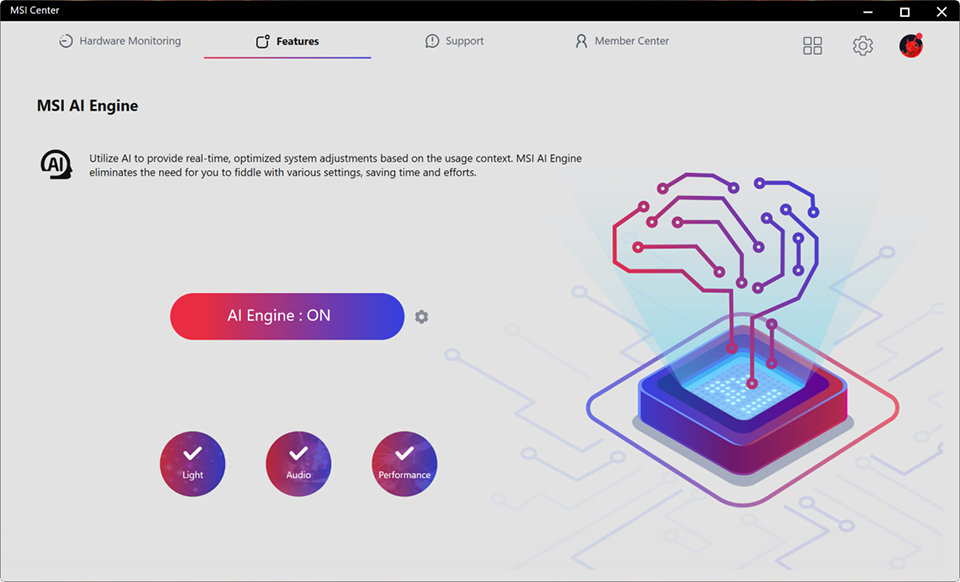
↑ The command center for total immersion: The MSI AI Engine automatically syncs performance, display colors, audio, and lighting the moment you launch a game.
The Ultimate Advantage: Intelligent Gaming
Let’s talk about what matters most to gamers. In the past, prepping for a heavy-duty PC gaming session meant manually opening the control center, switching the traditional "User Scenario" to "Extreme Performance," ramping up the cooling fans, and maybe tweaking your display for better contrast so you could spot enemies in the shadows.
Now, the MSI AI Engine handles that entire pre-game ritual for you. The second you launch a demanding AAA title—like diving into the chaotic, massive warzones of Cyberpunk 2077—the system instantly shifts into the Intelligent Gaming profile. It automatically reroutes maximum power to your CPU and GPU and optimizes your cooling thermals to prevent throttling. But it doesn't stop at performance; it transforms your entire sensory setup. The display shifts to a vibrant gaming mode, the audio tightens up to give you pinpoint 3D spatial awareness for enemy footsteps, and your keyboard lighting syncs to the action. You don’t need to configure a single thing; the AI just gets you combat-ready in a split second.
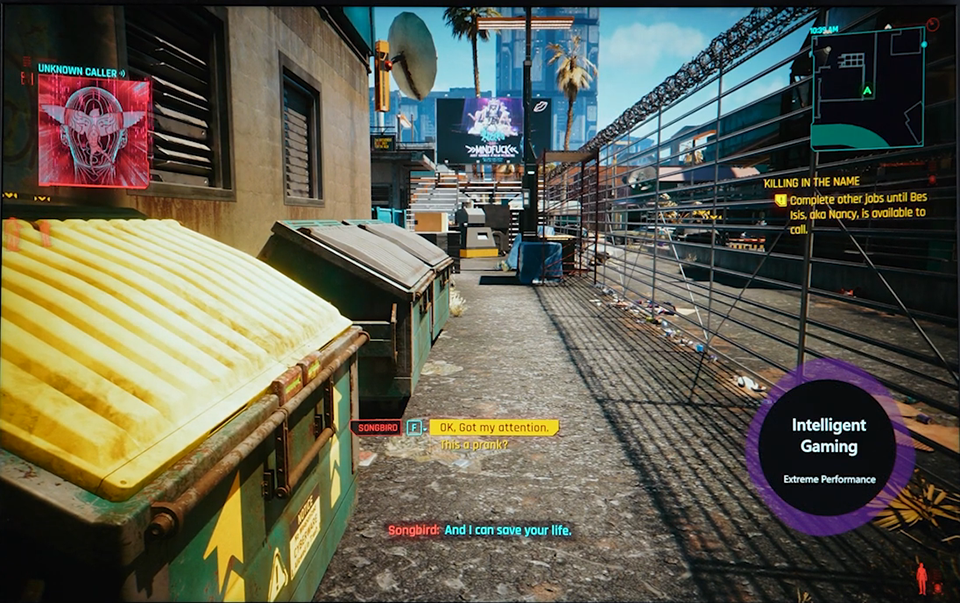
↑ MSI AI Engine in action: Instantly detecting the game and auto-enabling 'Intelligent Gaming' and 'Extreme Performance'.
More Than Just Gaming: Your Full-Time Digital Butler
Of course, our lives aren't just about gaming. In the past, transitioning from an intense gaming session to answering emails meant manually switching your system from "Extreme Performance" back to "Silent" mode just to stop the fans from howling. Today, that entire transition is completely automated.
The moment you open productivity software like Microsoft Word, the MSI AI Engine senses your shift in focus and instantly activates the Intelligent Work profile. It automatically applies quiet, focus-friendly settings, ensuring you maintain high efficiency without any distracting background noise.
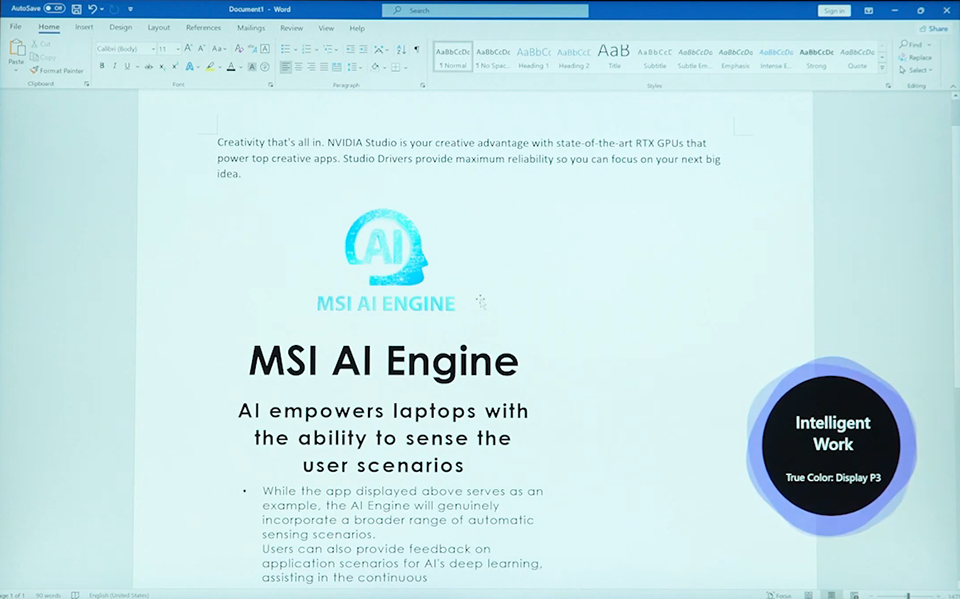
↑ When you open a productivity app like Word, the MSI AI Engine automatically shifts into 'Intelligent Work' mode and adjusts the display to Display P3, as seen in the bottom right corner
When your calendar reminds you of a call and you launch your video conferencing app, the system seamlessly transitions into the Intelligent Meeting profile. You no longer have to frantically adjust microphone noise cancellation, tweak webcam settings, or change performance options seconds before joining a call. The AI eliminates this friction, ensuring you look and sound perfectly professional the second you log on.
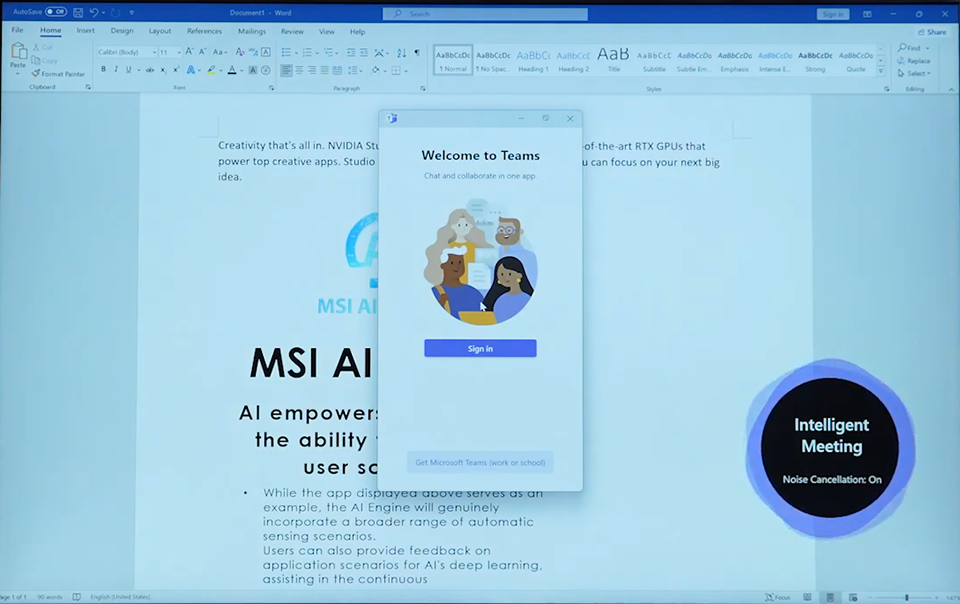
↑ When you launch a video app like Teams, the MSI AI Engine instantly shifts into 'Intelligent Meeting' mode and turns on Noise Cancellation, just like you see in the bottom right corner.
Ready to unwind with a movie or binge-watch a series after hours? No problem. Launch your favorite media player or streaming app, and the system glides into the Intelligent Entertainment profile, instantly calibrating the display and audio for a cinematic viewing experience.
Leveling Up: Customizing with App Binding
You might be wondering, "What if I use niche software that the AI doesn't automatically recognize?" Don't worry. To ensure these scenarios work flawlessly for everyone's unique workflow, the MSI AI Engine retains incredible flexibility. You can dive into the advanced settings and use the App Binding feature to manually add any application (.exe) and assign it to one of the four intelligent profiles: Gaming, Work, Meeting, or Entertainment.
For instance, you can bind your preferred indie photo editing software to the "Intelligent Work" list, or assign a specific streaming app to "Intelligent Entertainment." From then on, whenever you launch that specific app, the system syncs perfectly and readies your preferred environment instantly.
Ultimately, the MSI AI Engine is the fully automated evolution of the traditional User Scenario feature. By handing the reins over to the AI Engine, your system automatically switches to the perfect environment based on the specific software you are using. You just focus on what's in front of you; let the AI handle the rest!
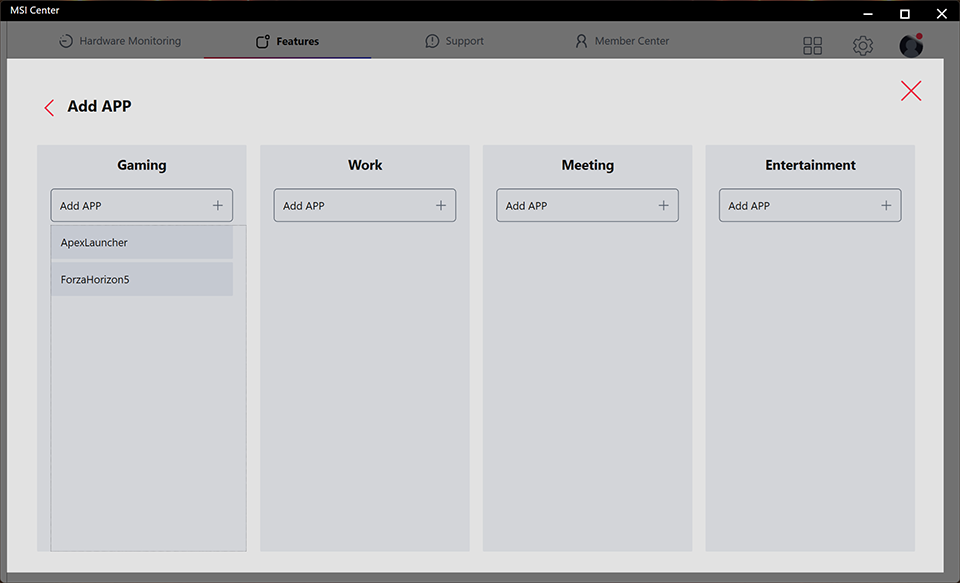
↑ If your favorite app isn't showing up automatically, simply click the "Add APP" button to add it yourself.
On the Go: Smart Balance for Endurance
For gamers who carry their worlds in their backpacks with the MSI Claw handheld, the scariest thing isn't the final boss—it's the low battery warning.
Here, the AI chooses to be invisible. Integrated directly into the Quick Settings of MSI Center M, the AI Engine acts like a meticulous energy manager. It dynamically balances the processor's power output (TDP) and fan speeds in real-time. When you dive into a AAA title, it delivers full power for smooth frame rates; when you switch to streaming a video or light web browsing, it instantly conserves every drop of energy. You don't need to understand complex power settings. Just pick up the device and enjoy longer, smoother entertainment.
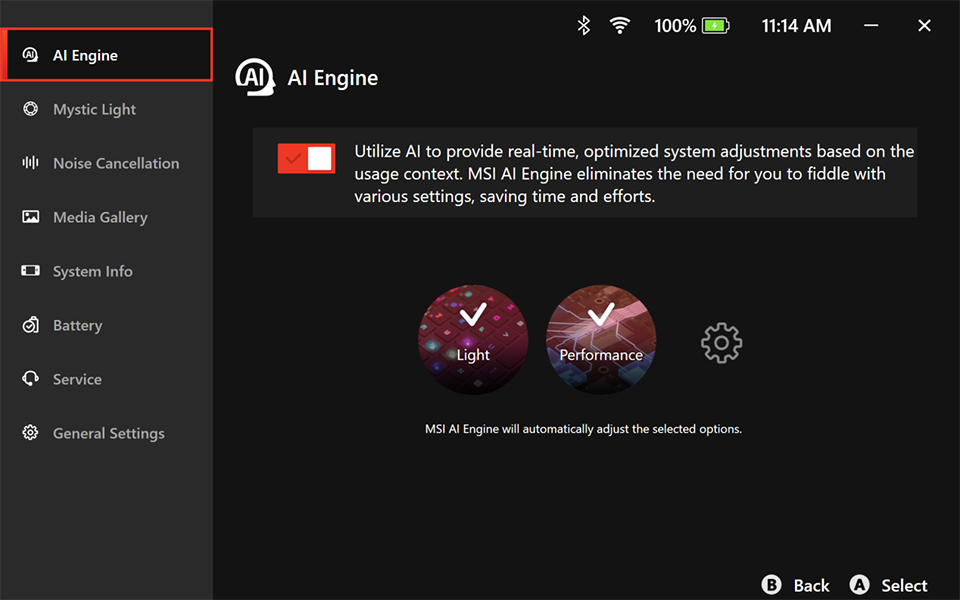
↑ Invisible optimization: Integrated into the handheld's Quick Settings, the MSI AI Engine silently balances processor power and battery life, ensuring your entertainment never stops.
The Busy Workspace: Staying Professional and Secure
Picture this: You are preparing for a vital video conference in a bustling coffee shop. The laughter from the next table and the grinding of espresso beans are spiking your anxiety.
This is where the MSI AI Engine becomes your ultimate assistant. Through AI Noise Cancellation Pro, it doesn't just scrub the background noise from your microphone; magically, it filters out the noise coming from your caller, making the conversation sound as if you were both in a quiet boardroom. Simultaneously, the camera automatically blurs the passersby behind you and maintains eye contact, keeping your presence strictly professional.
Even better, the Smart Guard feature uses sensors to detect your physical presence. When you step away to grab your order, the laptop instantly locks the screen to protect your trade secrets. When you return, it wakes up automatically to welcome you back. Your workflow remains safe and private, without you having to lift a finger.
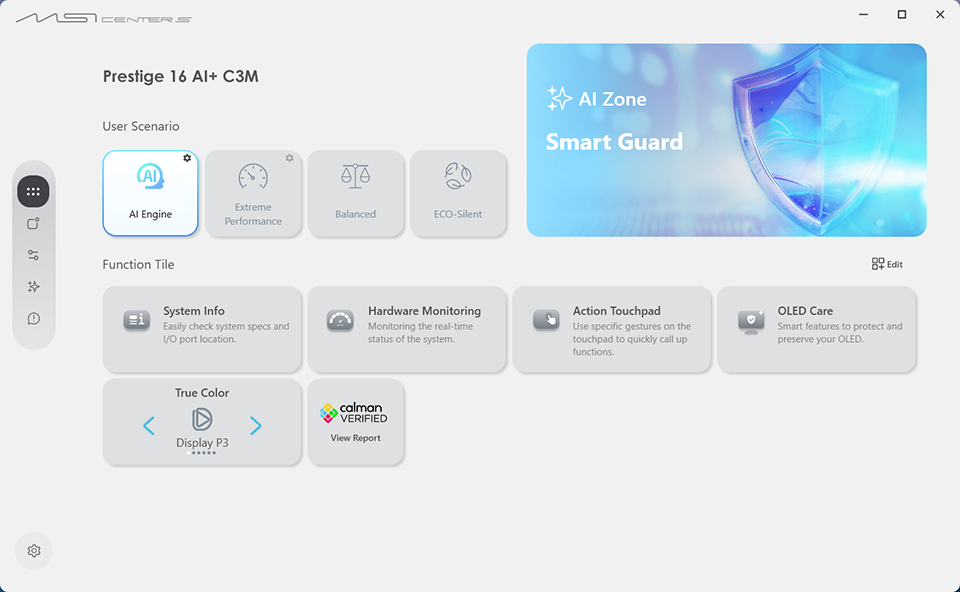
↑ AI Engine activated: On the left side under 'User Scenario,' the AI Engine is selected to automatically optimize the system.
Conclusion: One Click to a Smarter Digital Life
True technology should feel non-existent. The MSI AI Engine turns complex hardware optimization into ultimate simplicity, eliminating the friction of manual tuning. Whether gaming, traveling, or working, this intelligent partner handles the technical details behind the scenes. Simply open MSI Center, MSI Center M, or MSI Center S and enable the AI Engine with a single click to make your digital life effortlessly efficient.